

Why PWAs Still Lag
Behind Native Apps in 2025
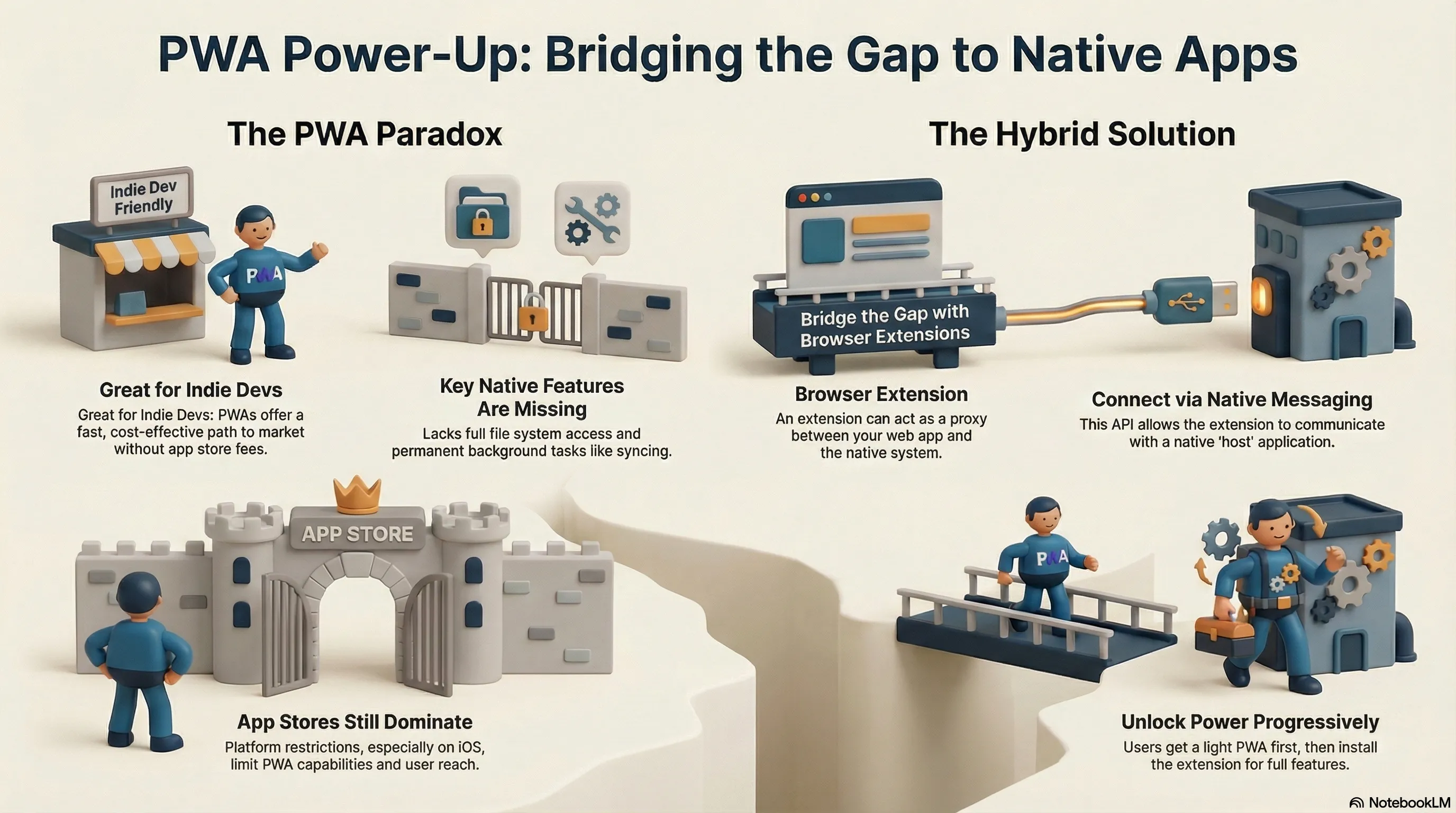
It’s not like you can’t “install” many web apps today. Even manufacturers are increasingly offering native support for this. The installed PWA for YouTube, for example, provides access to additional features when you right-click its icon in the taskbar. But especially for mobile, native apps dominate—and this is particularly true on iOS, where Apple’s restrictions on features like background tasks and push notifications further reinforce the app store dominance of native apps.
Progressive Web Apps can do more than just rendering content on the screen or connecting to web services. PWAs can deal with files from the file system, they can interact with the system’s clipboard, they can access hardware that is connected to the device, and much more. Every Web API is available for your PWA, and there are some extra APIs available when your app is installed.
The Power of Stores and the Indie Dev Paradox
Even today, having a presence in a store is still crucial. Especially if your business is built on that very app. It becomes quite difficult to position yourself profitably then. It’s totally understandable that a PWA would be a suboptimal approach here. Yet PWAs would be particularly interesting for indie developers. No additional costs and no waiting times until a release. Simply upload to your (own) server, and the app is ready.
PWAs Are Long Past Being Just Mobile
But PWAs aren’t just for mobile; they’ve long been for desktop too. When you think of applications like mail, calendar, or other office applications like a word processor, web applications are hardly at a disadvantage here today. Turning one into a PWA is just the next logical step. Offline capability was taught to such applications long before PWAs anyway. And with ChromeOS, an entire operating system demonstrates how powerful web applications are in everyday life. But sometimes it just isn’t enough.
Where the Limits Lie: File System and Background Tasks
For a project, I have two requirements that aren’t solvable with a PWA: permanent background tasks, like syncing, and access to the full file system. With a native application, that’s naturally no problem. One quickly thinks of solutions with a hybrid approach. With a WebView, you’ve essentially packaged your web app. But that’s not a real substitute for a PWA, which functions much more dynamically, especially with updates.
Building the Bridge: Browser Extensions and Native Messaging
However, it’s then worth looking at browser extensions. They can very elegantly and safely build a bridge from the web application to the native system. 1Password, for example, uses precisely this approach, where the browser extension and desktop application communicate with each other. And such an extension then also has access to my web application and can thus act as a proxy between the worlds.
The keyword to search for is then Native Messaging. The process seems more complicated at first but can be mapped well. Initially, the PWA could detect if the extension is installed and, if necessary, directly offer the installation link. The extension, in turn, can detect if the native application is installed and thus prompt its installation via the web app’s interface. Sounds cumbersome and is certainly not ideal. But it’s also not a step you have to take daily and should therefore be acceptable as a one-time action. Consider that there probably aren’t many PWAs that would need to rely on such functionality.
Single Installer vs. Transparent Steps
However, you can also simplify it and bring both the native application and the extension onto the system via a single installer. Certainly the most professional, but also more labor-intensive approach. After all, the installer initially doesn’t know which browser is intended for using the PWA. For me, the path via independent installation steps is absolutely fine and, above all, transparent for the user.
Progressively Unlocking Full Power
Thus, you can now build your core PWA functionality without dependencies. And if both the extension and the host app are available, the extended functionality can be offered—progressively, that is: the user gets a light version directly in the browser; after installing the extension + host, they get the full power, without the core app having to go native. The host application itself can also run permanently in the background to, for example, continuously implement sync mechanisms or place itself in the system tray.
It’s not as straightforward as installing a single native app. However, it opens up the potential to offer a light version directly in the browser. The application itself remains constantly up-to-date. And yet you don’t have to sacrifice anything if you want to cover the full range of capabilities. For indie devs, it’s definitely worth testing this path—the web platform is steadily improving, after all.
Further Explorations
- PWA Capabilities on web.dev – Detailed overview of what Progressive Web Apps can achieve today, including installed-only APIs.
- File System Access API on web.dev – Explanation of local file handling in web apps and its limitations compared to native access.
- Periodic Background Sync on Chrome Developers – Deep dive into background synchronization capabilities and current constraints.
- Native Messaging on Chrome Developers – Official documentation on bridging web extensions to native host applications.
- Background Syncs in Microsoft Edge – Practical guide to background tasks in PWAs across platforms.