




Setting Up the Project Foundations
The heart of StayAwake is a clean event loop that responds directly to Windows messages. Rather than burdening the CPU
with manual Sleep cycles, the application leverages native operating system functionality. This loop forms the
backbone for determining idle time via GetLastInputInfo in Auto-Off mode and issuing the SC_MONITORPOWER command
when needed. In StayAwake mode, monitoring is completely disabled to avoid unnecessary CPU cycles.
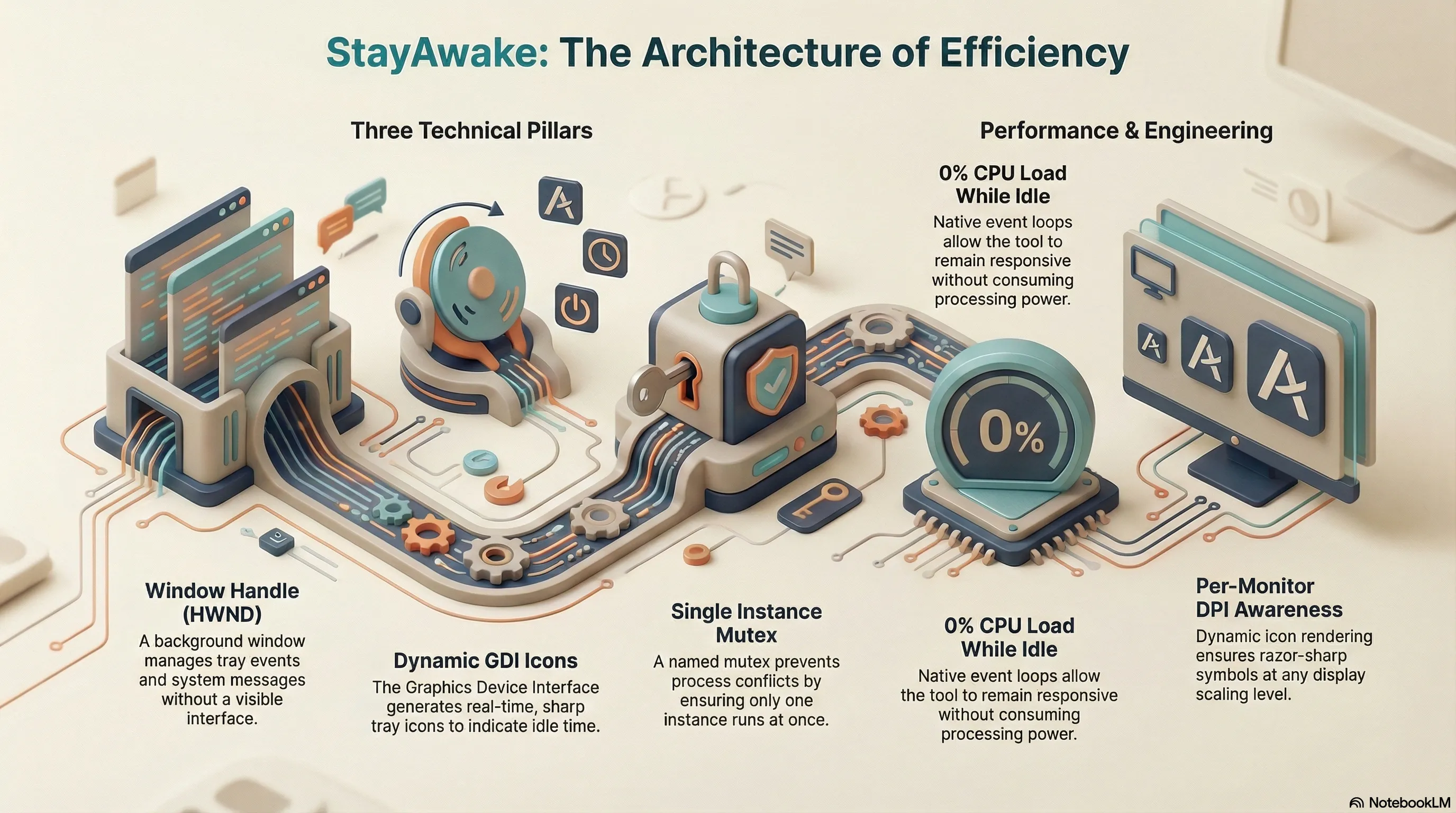
Three Technical Pillars
For the technical implementation, three pillars were crucial:
- The Window Handle (HWND): Although StayAwake has no visible user interface, a window is registered in the background to receive tray icon events and system messages (such as DPI changes).
- Dynamic Icons via GDI: Initially, the tray icon was meant to be based on the static app icon. However, given the limited space in the tray, which offers little room for high information density, I opted for dynamic generation using the Graphics Device Interface (GDI). The design follows the simplicity of the Windows network icon: a monitor icon with a blue progress bar indicating idle time.
- Single Instance Mutex: To prevent conflicts between multiple instances, a named mutex ensures that only one
process is active at any given time. When a new version is launched, the running instance is cleanly terminated via
WM_CLOSEbefore the new one takes over.
Using
MsgWaitForMultipleObjectsin the event loop represents the pinnacle of Windows programming. It allows the tool to consume literally zero percent CPU load while idle, yet remain instantly responsive to user input or configuration changes. The decision to draw the icon dynamically using GDI not only saves storage space for various bitmap resources but also guarantees a razor-sharp symbol at any scaling—true ‘Per-Monitor DPI Aware V2’ engineering.